WORKED DESIGN · SCHEMATIC
A small rounded form, from shape to stitches.
One piece is enough to see how the 3D crochet designer turns construction settings into written instructions. This is an original generated draft, not a tested finished pattern.
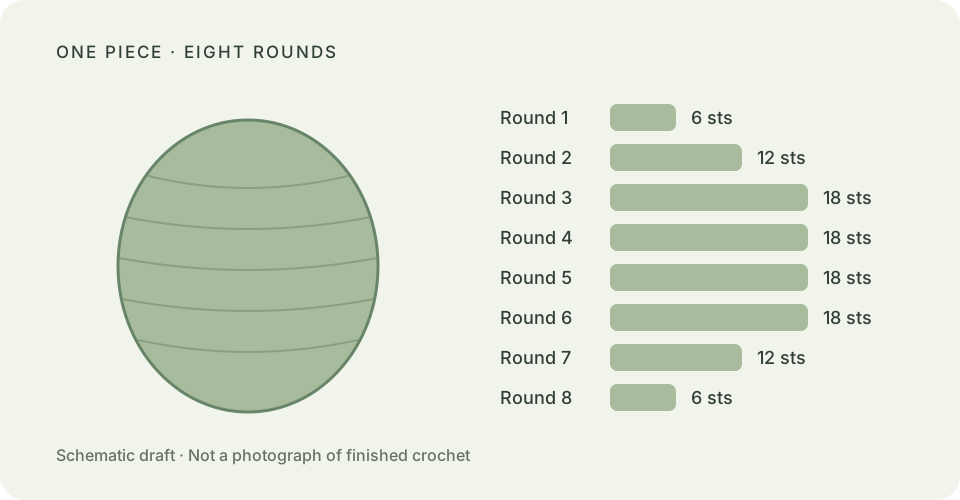
The component and its settings
Start a freeform creation, choose Add a piece → Rounded form, set Widest circumference to 18 stitches and Extra straight rounds to 0. Keep upper and lower fullness at 100%. The construction still includes its standard middle rounds; zero extra rounds does not mean zero middle rounds.
Use this as a building block for a small body, a pretend pea, or a decorative centre. Those are design ideas, not tested uses.
The resulting written draft
US terms: sc = single crochet; inc = 2 sc in one stitch; dec = single crochet the next 2 stitches together. Work continuous rounds with a marker. The last column gives the stitch count after each round.
| Round | Instruction | Stitches |
|---|---|---|
| 1 | Work 6 sc into a magic ring. Pull the ring closed. | 6 |
| 2 | Inc in each stitch around. | 12 |
| 3 | [sc in next 1 stitch, inc] × 6. | 18 |
| 4 | sc in each stitch around. | 18 |
| 5 | sc in each stitch around. | 18 |
| 6 | sc in each stitch around. | 18 |
| 7 | [sc in next 1 stitch, dec] × 6. | 12 |
| 8 | Dec over each consecutive pair of stitches around. | 6 |
Stuff before the final decrease rounds. After the last 6 stitches, draw the opening closed and leave a long tail for sewing.
Choose yarn and a suitable hook, then measure your own gauge. This example does not promise a finished size, yarn quantity, or stuffing amount.
What changes when you reshape it?
Extra straight rounds hold the maximum count for longer and lengthen the piece. Increasing the widest circumference adds shaping rounds as well as more stitches around the middle. Narrower shoulder settings can change the round sequence too. Read the updated instructions after each change; do not reuse the table above for a reshaped piece.
Open the studio, choose My creations → Import project or library, and select the downloaded JSON file. Your existing projects stay in the library. Review how rounded forms are constructed or plan a connection to another piece.